

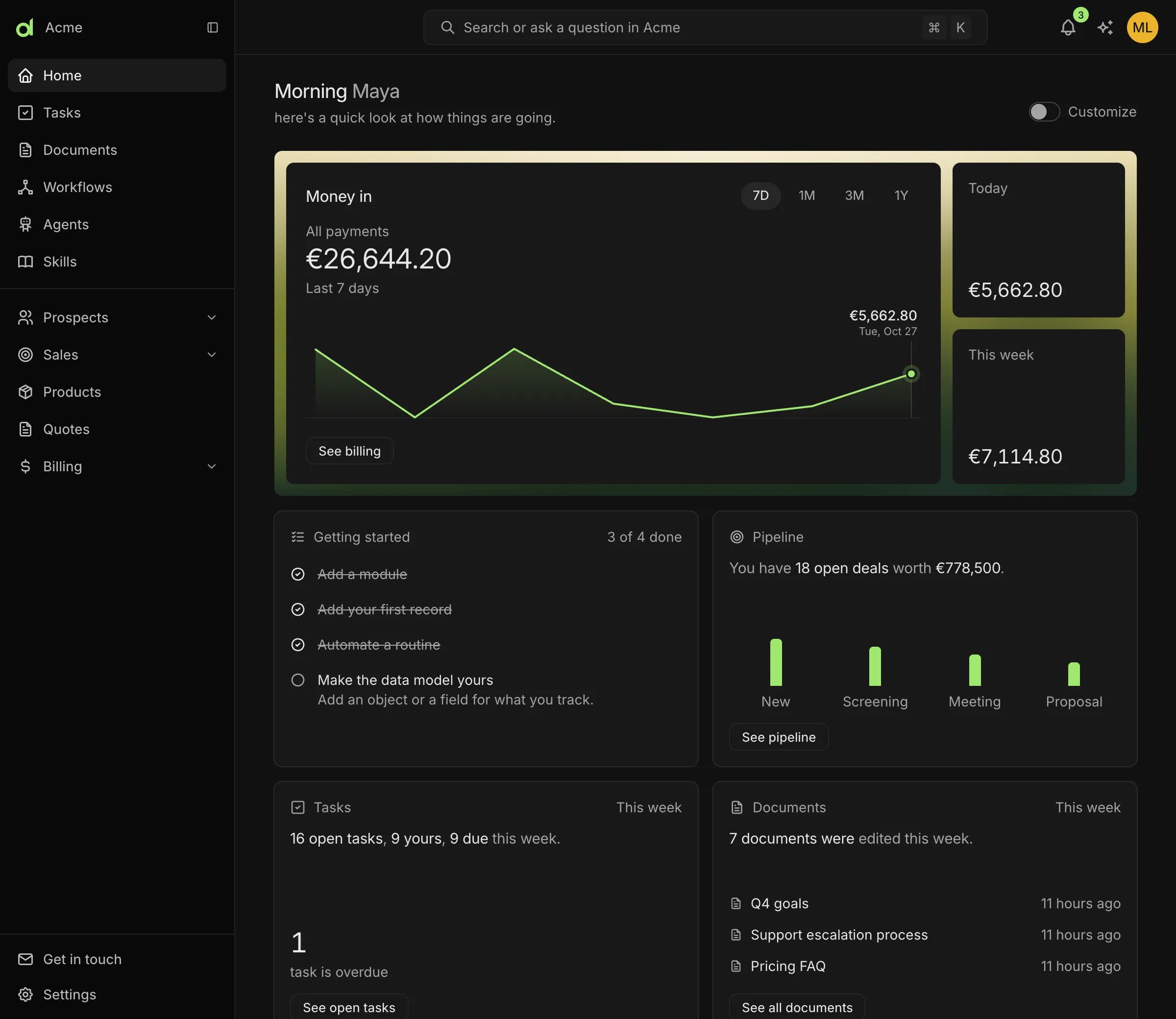
Home: the sidebar on the left, and a summary of money, pipeline, tasks and documents.
Regions of the studio
Home
Home summarises how the business is going: key numbers, open tasks, recent documents and shortcuts. What it shows depends on the installed modules. Money in comes from Invoicing and the pipeline from the CRM. Each card is a block.Command palette
⌘K opens the command palette from any page. It creates records, jumps to pages, switches workspace and searches records as you type. Modules add their own commands.
Notifications
The bell lists what workflows, modules, agents and teammates sent.⌘I opens the list beside the current page, so the page stays in place. Unread notifications have a green dot.
Keyboard shortcuts
Related
- Records and views: work with data in tables, boards and calendars.
- Tasks: list, board and assignment of work.
- Workflows: automate repeating work.
- Use the assistant: use agents.