

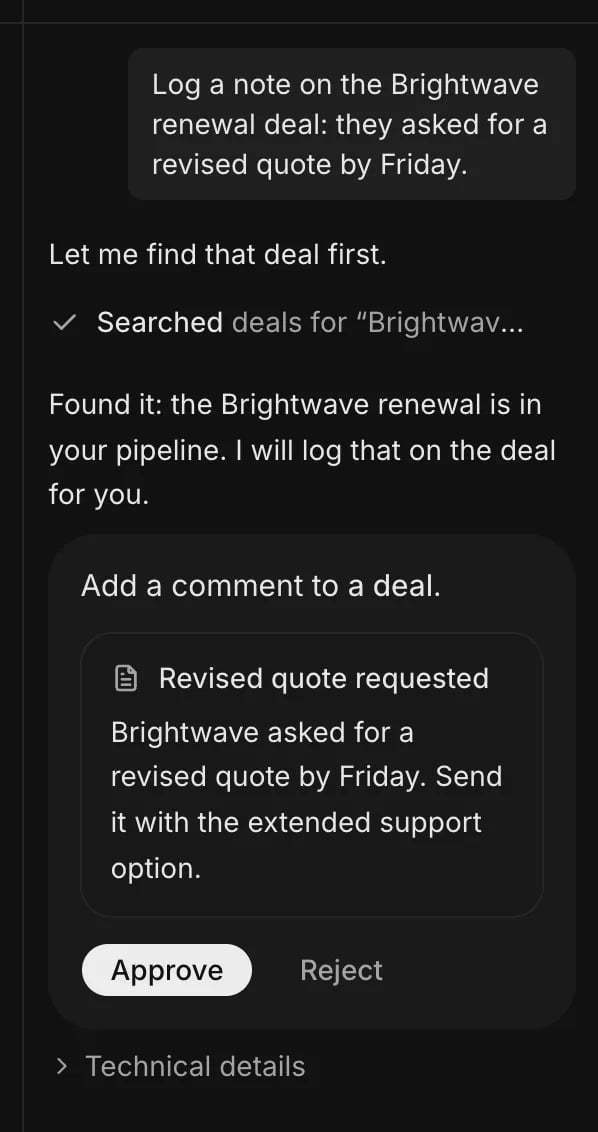
An approval card: the agent says what it wants to do, and waits.
What happens when you ask an agent
- A message is sent, and the studio streams the agent’s work back as it happens.
- The agent chooses which tools to use: look up records, create one, run a workflow.
- Reading and everyday edits, such as creating or updating a record, run immediately. A tool set to Ask first, such as one that deletes records or sends a notification, stops and shows an approval card.
- The person approves or rejects. The agent continues with the result and answers.
Parts of an agent
An agent is a set of instructions plus a list of tools. A tool is one thing the agent may do, such as “list records” or “create a task”. Each tool is set to one of two modes.
The tool list is the agent’s boundary: an agent can only do what its tools allow. See Tools and approvals.
Who an agent acts as
An agent acts for the person who asked, with that person’s role. It can never do more than they could. History records both, so the changes an agent made and the person it acted for are visible.Questions and secrets
When an agent needs something it cannot guess, it asks a question and waits for the answer. When a step needs a secret, such as an API key, the approval card shows a form. The value goes from the person straight to the run, is never stored, and is never shown to the model.Where agents come from
- Every workspace has a default assistant.
⌘Jopens it. - A workspace can create its own agents in the studio. See Define an agent.
- A module can ship agents. The CRM ships a Sales agent that works the pipeline.
- Tasks: a task can be given to an agent that takes tasks. It works through the task for the person who assigned it.
Skills
A skill is a short how-to that an agent loads only when a request calls for it, such as “how we qualify a lead”. A workspace or a module can write skills. See Skills.Requirement: a provider key
Agents need a key from an AI provider: Anthropic, Google or OpenAI. See Turn on agents in the quickstart and Environment variables.Related
- Use the assistant: use agents in the studio.
- Define an agent: create one in the studio or in a module.
- Access and permissions: what each role can do.